01
Order workspace
Keep the next action close.
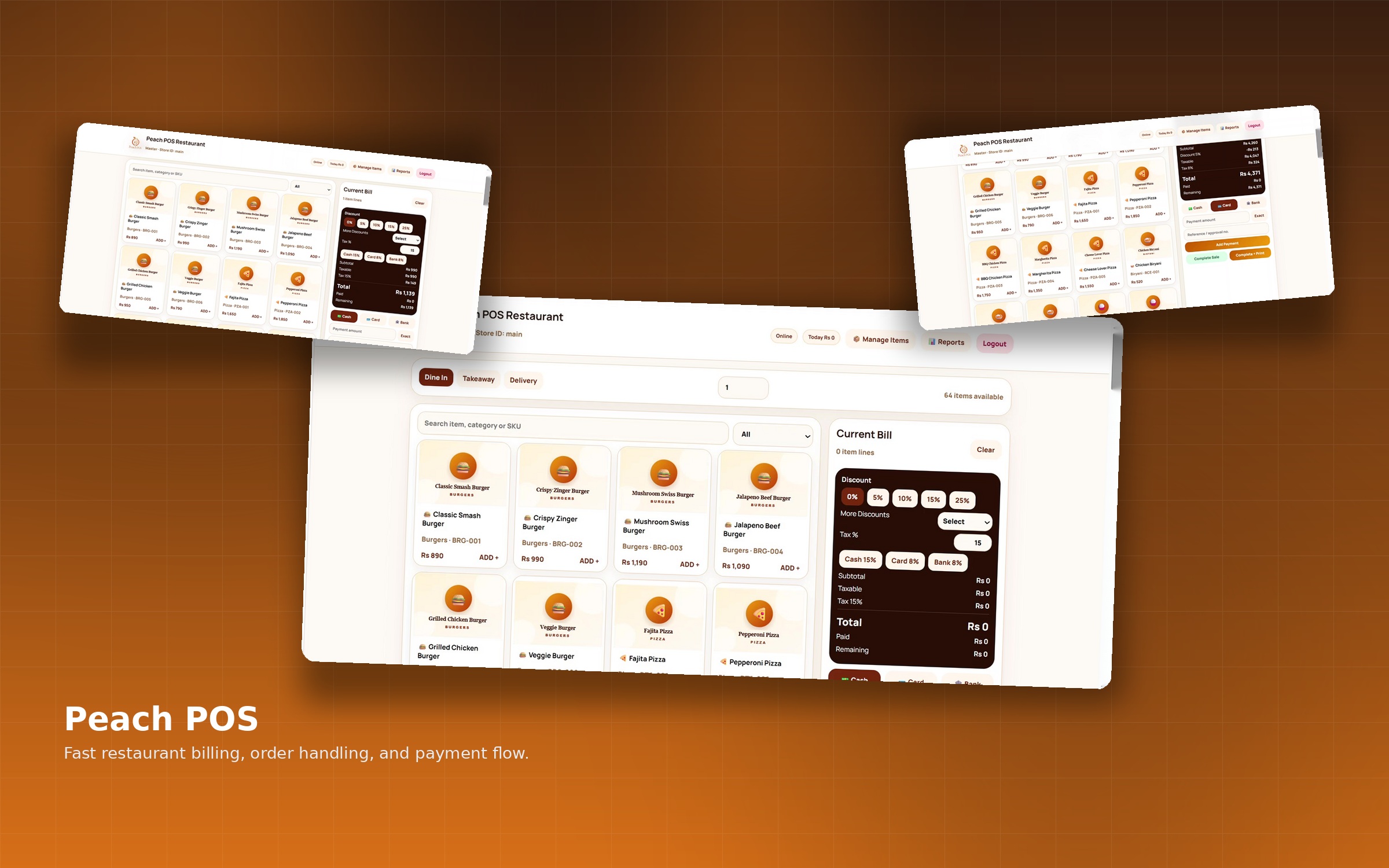
The order workspace brings menu selection and the developing order into one surface. Staff can work from the immediate task.
System 05Restaurant operations · Point of sale
A clear path from order to receipt.
01The business question
At a busy counter, complexity becomes hesitation. Staff need to build the order, understand the total, handle adjustments and finish the payment without losing their place.
Peach concentrates on that one essential journey. Menu selection, the active bill, taxes and discounts, payment, receipt and reset follow a deliberate sequence built around the task at hand.
02The connected architecture
The system in motion
Explore the interfaces behind Peach. Select a chapter, move through the depth, then follow the full workflow below.
03Inside Peach
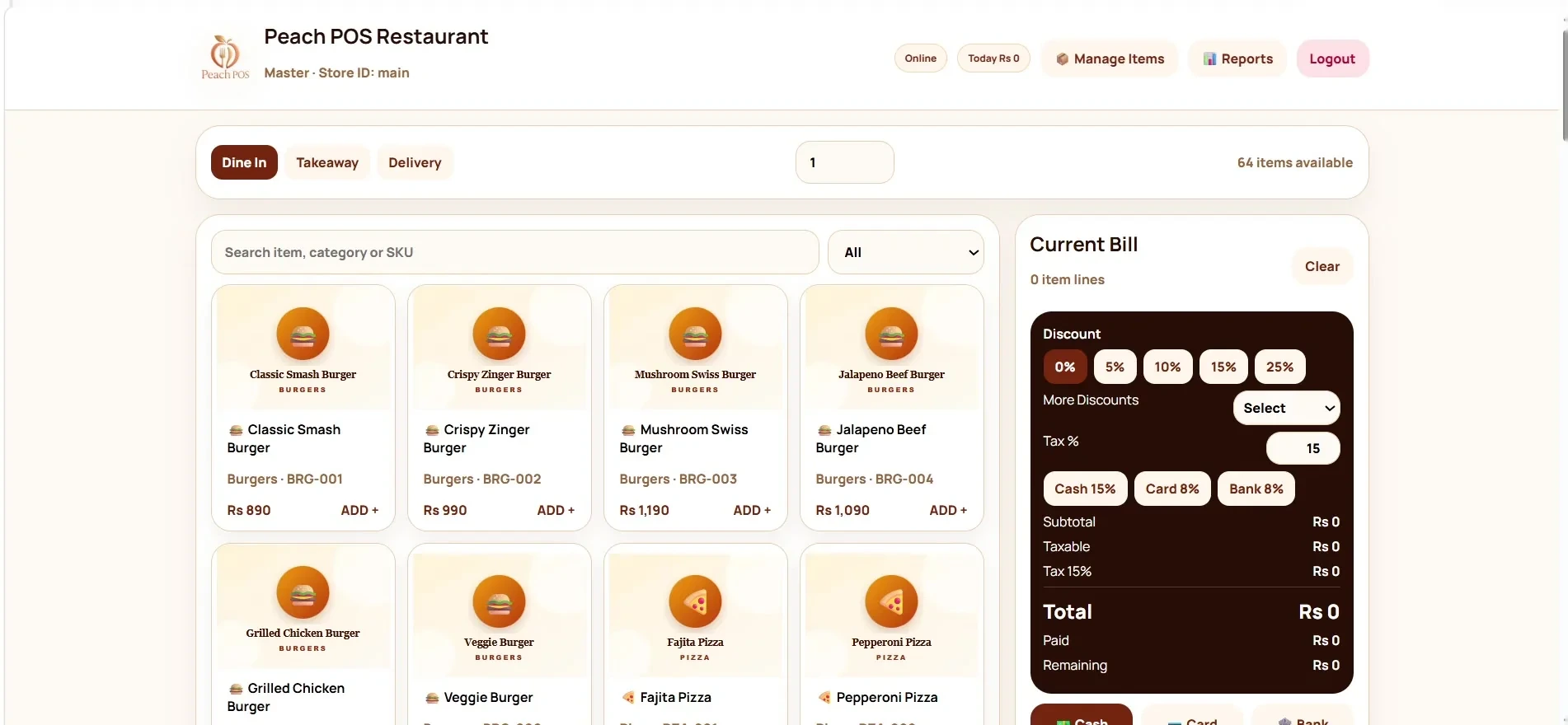
Order workspace
The order workspace brings menu selection and the developing order into one surface. Staff can work from the immediate task.
Active bill
The active bill keeps the transaction and its total together as it develops. It gives the order a clear financial counterpart.
Discounts & taxes
Discounts and tax belong inside the transaction flow. Their controls sit where the staff member needs to account for the final total.
Payment flow
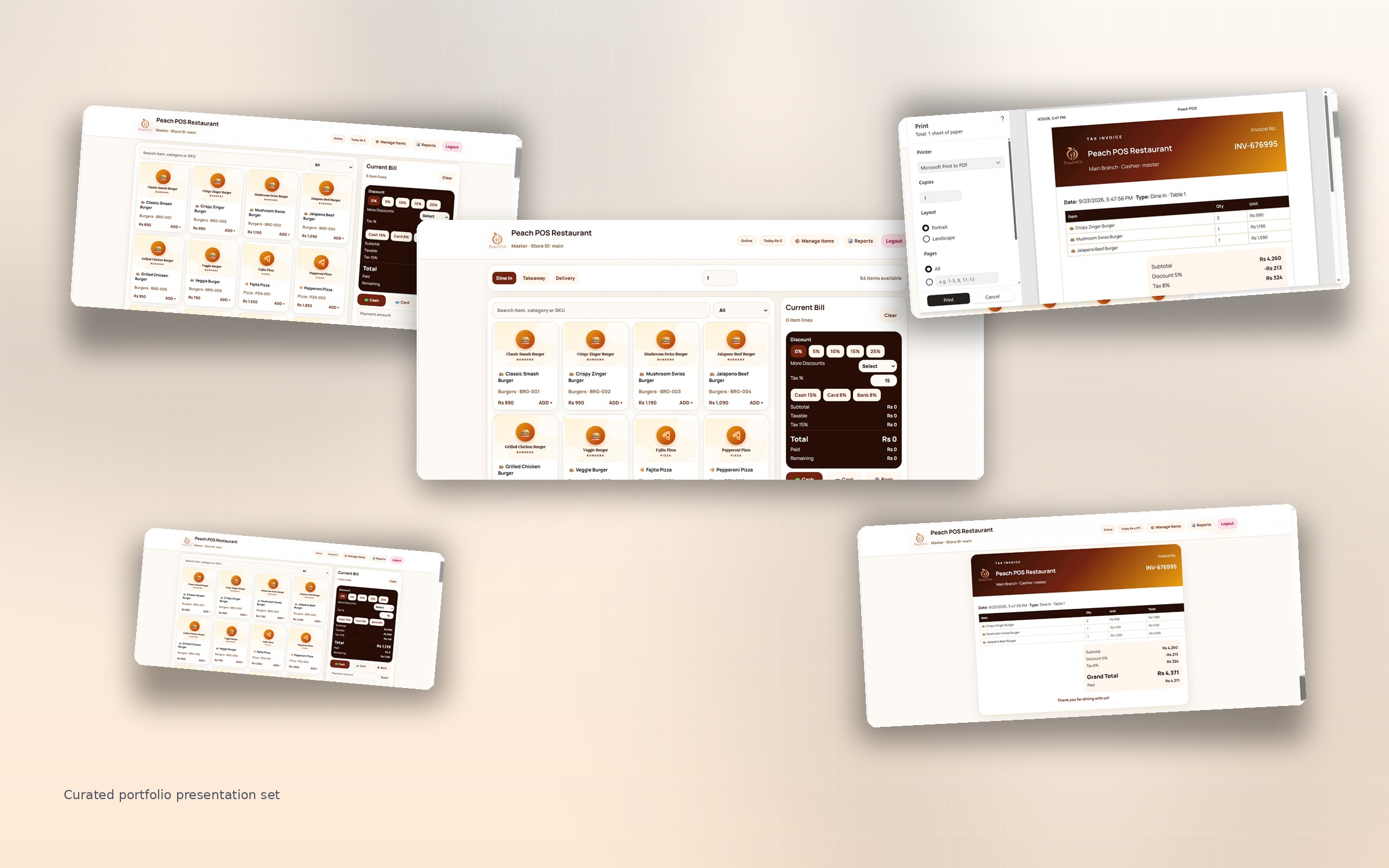
A dedicated payment stage creates a clear transition in the workflow. The interface changes focus with the task.
Payment action
The payment action is a distinct step in the sequence. The product makes room for deliberate completion before the receipt.
Receipt
The receipt brings the order and payment journey to a usable conclusion. It is the final representation of the transaction.
New order
Reset returns the workspace to a fresh starting point. The next customer’s order begins without carrying the previous transaction forward.
04The decisions beneath the surface
Peach has a narrower purpose than an ERP. Its hierarchy stays close to the front-line task, with fewer layers between ordering and payment.
A receipt and a clean reset are part of transaction confidence. The workflow accounts for both completion and the next order.
05A closer look
What this project demonstrates
06Let’s build around your business
A financial decision. A growth challenge. A story worth telling. A system worth building. Tell me where you want to get to. We’ll start with the challenge, the scope and a practical next step.
Start a conversationA direct line to Uzair
What would you like
to move forward?